

Web A11y POCC
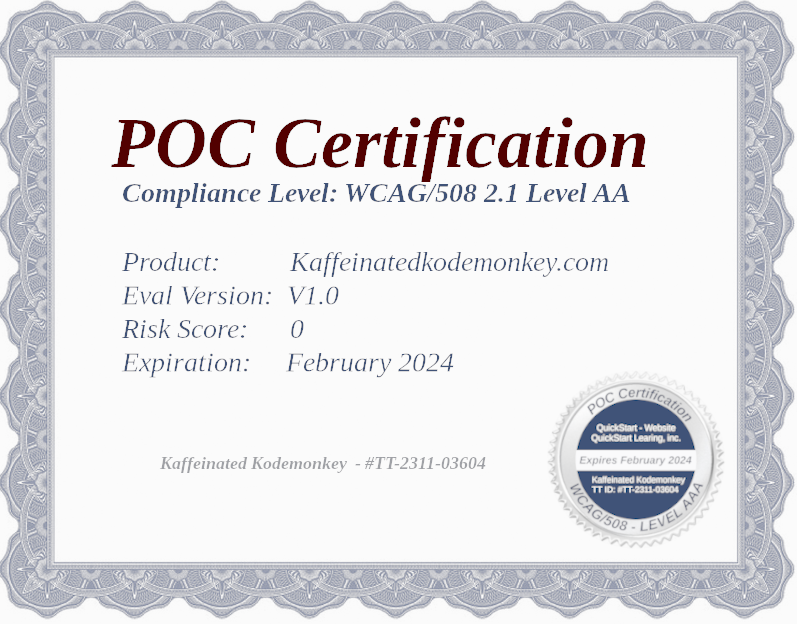
Proof of Compliance Certificate (POCC)
Kaffeinated Kodemonkey conducted a scoped accessibility evaluation of its website
using the standards and methods described in the supporting evaluation documentation.
This POCC is Kaffeinated Kodemonkey documentation, not a government-issued certification or legal determination.
DHS Trusted Tester Registration ID: TT-2311-03604
This Proof of Compliance Certificate (POCC) documents the scope and results of an accessibility evaluation by Kaffeinated Kodemonkey against WCAG 2.2 Level AA and applicable Section 508 requirements. The certificate and supporting materials describe the evaluation performed; they do not guarantee that the site remains conformant as content, code, or functionality changes.
A POCC is an administrative document accompanying an evaluation. User experiences vary, and a technical evaluation cannot establish that every person will be able to use every part of a site.
An evaluation can identify programmatic barriers such as keyboard focus problems, unlabeled form fields, or content that does not adapt to smaller viewports. Findings reflect the pages and functionality reviewed at the time of testing.
Ongoing monitoring and periodic manual reviews can help teams track accessibility as digital environments change. We plan to conduct a new WCAG evaluation and update the POCC materials. Until that review is complete, this page describes the existing documentation and should not be read as a statement of results from the upcoming audit.
At Kaffeinated Kodemonkey, we partner with clients addressing federal procurement rules and state web mandates. Our DHS Certified Trusted Testers evaluate agreed pages, templates, and functionality; findings and supporting documentation reflect that evaluation's scope. Related materials include:
Testing Environment
- Operating System: Windows 11 Enterprise / iOS
- Supported Browsers: Google Chrome, Mozilla Firefox, Microsoft Edge, Apple Safari
- Evaluation Standard: DHS Trusted Tester Conformance Test Process
- Methodology Version: v5.1.5 (Aligned to current federal frameworks)
Testing Tools & Engines
- Audit Infrastructure: KKM Full Evaluation & Manual Audit Suite
- Automation Engines: Pope Tech Continuous Crawler & WAVE Enterprise
- Screen Readers: NVDA (NonVisual Desktop Access), JAWS, Apple VoiceOver
- Diagnostic Toolkits: Accessibility Insights for Windows, Colour Contrast Analyser (CCA)
Tips for Accessible Browser Customization
Skip to Main Content
Keyboard-only and screen reader users can bypass global site navigation modules instantly. Pressing the Tab key immediately upon page load surfaces a visible "Skip to Main Content" control link.
Native Viewport Magnification
You can scale text size and layout proportions cleanly using standard browser controls without breaking layout integrity:
- Windows Environments: Press
Ctrland+to zoom in, andCtrland-to zoom out. - macOS Environments: Press
Cmdand+to zoom in, andCmdand-to zoom out.
Pointer & Focus Enhancement
If you experience difficulty tracking your mouse pointer or focus outlines, you can adjust tracking speeds, outline thickness, and contrast visibility inside your operating system's native accessibility control panel.
Accessing Windows Mouse & Pointer Settings:
Accessing macOS Mouse & Display Settings:
Discuss Your WCAG Accessibility Needs
Speak with a DHS Certified Trusted Tester about a WCAG accessibility audit, WEAR report, and POCC documentation. We can discuss evaluation scope, findings, and practical next steps for your organization.

MonkeyHub
- Articles & News — Evolving insights on digital accessibility legislation, design practices, and corporate risk mitigation from beginner to enterprise scale. Articles & News
- Learning Center —
- MonkeySupport — Have an accessibility question? Submit a ticket and our team will see how we can help. Support Ticket