


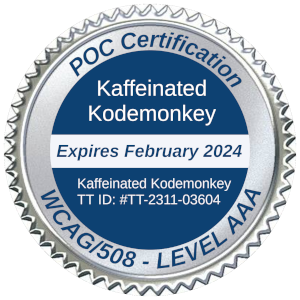
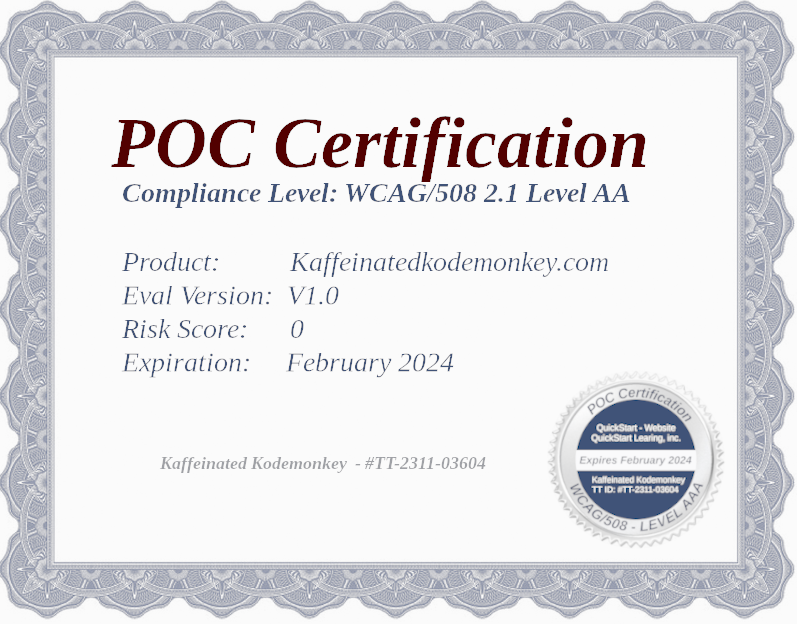
Proof of Compliance Certificate
Kaffeinated Kodemonkey | DHS Certified Trustd Tester
Maintain Accessibility & turn it into a distinct business advantage.
With the DOJ ADA Title II mandates now fully in effect for public entities serving populations over 50,000, and the April 26, 2027 deadline rapidly approaching for smaller municipalities, public schools, and special districts, the window for guesswork has closed. Kaffeinated Kodemonkey’s Continuous Accessibility Monitoring Platform keeps your digital infrastructure ADA, WCAG 2.2 Level AA, and Section 508 compliant long-term — eliminating developer friction and protecting your organization from regulatory risk.
Proof of Compliance Certificate
Kaffeinated Kodemonkey, a DHS Certified Trusted Tester Office
Conducted an Independent Accessibility Evaluation & Audit on the Kaffeinated Kodemonkey Platform
for ADA Conformance based on WCAG 2.2 Level AA and Section 508 requirements.
DHS Trusted Tester Registration ID: TT-2311-03604
This digital platform holds a verified Proof of Compliance Certificate (POCC) issued by Kaffeinated Kodemonkey, documenting rigorous adherence to WCAG 2.2 Level AA standards.
An objective POCC is a vital administrative tool used by organizations to evaluate the structural accessibility of a digital asset. In digital compliance, it is crucial to recognize that user experiences vary; even when platforms achieve full technical conformance, individuals using assistive technologies may experience unique usability workflows depending on the nature of their equipment or assistive setups.
Conversely, maintaining technical conformance ensures your site remains clear of programmatic defects that create absolute operational roadblocks—such as broken keyboard focus traps, unlabeled form fields, or non-scalable mobile viewports.
While dynamic web environments evolve rapidly, implementing a hybrid framework of continuous monitoring and certified manual reviews minimizes legal exposure. This POCC reflects our ongoing operational commitment to digital inclusion, ADA compliance, and strict alignment with WCAG 2.2 and Section 508 Level AA criteria.
At Kaffeinated Kodemonkey, we partner with clients to satisfy federal procurement rules and state web mandates. Our DHS Certified Trusted Testers perform code-level validation checks to verify that core sitemaps, templates, and layouts fully satisfy international standards, as substantiated by the following compliance artifacts:
- Accessibility Statement
- WCAG Conformance Report (ACR)
- Detailed Accessibility Evaluation Audit Report (PDF)
Testing Environment
- Operating System: Windows 11 Enterprise / iOS
- Supported Browsers: Google Chrome, Mozilla Firefox, Microsoft Edge, Apple Safari
- Evaluation Standard: DHS Trusted Tester Conformance Test Process
- Methodology Version: v5.1.5 (Aligned to current federal frameworks)
Testing Tools & Engines
- Audit Infrastructure: KKM Full Evaluation & Manual Audit Suite
- Automation Engines: Pope Tech Continuous Crawler & WAVE Enterprise
- Screen Readers: NVDA (NonVisual Desktop Access), JAWS, Apple VoiceOver
- Diagnostic Toolkits: Accessibility Insights for Windows, Colour Contrast Analyser (CCA)
Understanding an Accessibility-Driven Platform
Screen Responsiveness & Reflow
This website features responsive CSS viewport breakpoints. Layout elements automatically reflow and scale up to 400% without loss of content or functionality, preventing horizontal scrolling roadblocks in accordance with WCAG Success Criterion 1.4.10.
Text Contrast Ratios
All text elements maintain a luminosity contrast ratio exceeding 4.5:1 against their backgrounds (and 3:1 for large text nodes), satisfying contrast standards to ensure complete readability for users with low vision.
Non-Text Content & Imagery
All functional images include explicit, descriptive alternative text attributes within the code. Visual elements that serve a purely decorative function are mapped with null alt text attributes (alt=""), allowing screen readers to bypass them cleanly without generating auditory clutter.
Programmatic Navigation & Structure
Our layout uses semantic HTML tags to define clear header regions, main landmark zones, and footer architectures. Navigation systems remain completely consistent across all subdirectories, ensuring predictable wayfinding controls.
Descriptive Hyperlink Context
All text hyperlinks are explicitly written to convey clear meaning out of context. Visually hidden anchor text extensions are embedded where necessary, ensuring screen reader users understand the exact destination of any action button.
Tips for Accessible Browser Customization
Skip to Main Content
Keyboard-only and screen reader users can bypass global site navigation modules instantly. Pressing the Tab key immediately upon page load surfaces a visible "Skip to Main Content" control link.
Native Viewport Magnification
You can scale text size and layout proportions cleanly using standard browser controls without breaking layout integrity:
- Windows Environments: Press
Ctrland+to zoom in, andCtrland-to zoom out. - macOS Environments: Press
Cmdand+to zoom in, andCmdand-to zoom out.
Pointer & Focus Enhancement
If you experience difficulty tracking your mouse pointer or focus outlines, you can adjust tracking speeds, outline thickness, and contrast visibility inside your operating system's native accessibility control panel.
Accessing Windows Mouse & Pointer Settings:
Accessing macOS Mouse & Display Settings:
Start Your Compliance Journey Today
Speak with a DHS Certified Trusted Tester about securing your Proof of Compliance Certificate (POCC). Learn how to ensure your digital assets confidently meet state, federal, and enterprise procurement requirements under ADA Title II & III, WCAG 2.2, and Section 508 Standards.

Join the Conversation
- Blog Series — Evolving insights on digital accessibility legislation, design practices, and corporate risk mitigation from beginner to enterprise scale.
- Knowledge Base — Dive deep into technical documentation, code-level remediation patterns, and development frameworks.
- MonkeySupport — Encountering complex code obstacles? Open a dedicated help ticket to collaborate directly with an accessibility engineering expert.